WhatsApp keeps changing, and 2026 is no exception. The biggest themes this year are AI assistants built into chats, wider rollout of Channels and Communities, stronger privacy controls, and steady improvements to messaging and video calls. If your app updated recently and things look slightly different, this guide explains what changed and what is actually worth using.

AI assistants arrive in everyday chats
One of the most visible shifts is AI built directly into WhatsApp. Meta has been rolling out an AI assistant inside the app that can answer questions, draft text, and generate images right inside a conversation. You can message it directly or tag it in a group chat, and it replies without you leaving the app.
Practical uses are simple. Ask it to summarize a long group thread, reword a message so it sounds more polite, translate a sentence a friend sent you, or brainstorm a reply when you are stuck. It saves time when you need quick help mid-chat.
Availability rolls out gradually by region, so updating the app is the first step if you do not see it. As with any chatbot, avoid sharing passwords or bank details. Check the official features page to see what is live for your account: WhatsApp features.
Channels and Communities keep expanding
Channels remain WhatsApp’s broadcast tool: one-way updates from people and organizations you follow, separate from your chats. More creators, news outlets, and sports teams have opened Channels, and discovery keeps improving so you can find ones that match your interests. The official blog announces new launches: WhatsApp blog.
Communities, the feature that groups related chat groups under one umbrella, keep getting more useful for schools, workplaces, and neighborhoods. Admins can organize announcements, subgroups, and events in one place instead of juggling dozens of separate groups. If your group keeps spawning side groups for different topics, moving it into a Community can make everything easier to manage.
Messaging gets more flexible
WhatsApp has added several quality-of-life messaging features over recent updates, and most people only use a fraction of them.
Message editing lets you fix a typo or rephrase within a short window after sending. Tap and hold the message, choose edit, and the corrected version replaces the original for everyone.
Delete for everyone lets you unsend a message, and the window has been extended in recent versions, so there is more room to catch a mistake.
View once and disappearing messages give you control over sensitive content. View once photos and voice notes disappear after being opened, and disappearing messages can auto-delete new messages after a chosen period like 24 hours, 7 days, or 90 days.
Voice notes keep improving. You can pause while recording, listen before sending, and play voice messages at faster speeds. Transcripts for voice messages have also been rolling out, which helps when you cannot listen right now.
Pinning messages and chats makes busy groups manageable. Pin the important announcement at the top of a group, and pin the chats you use daily to the top of your chat list.
HD photo and video sharing is now standard. When you send media, you can choose HD quality instead of the heavily compressed default, which makes a real difference for photos you want to keep. Larger file sharing limits have arrived too, so sending long videos no longer needs workarounds.
Privacy controls get stronger
Privacy remains one of the reasons people stick with WhatsApp, and the app keeps adding controls.
Chat lock protects individual conversations behind your phone’s biometrics or passcode. Locked chats sit in a separate folder, and message previews stay hidden until you unlock them. This is useful on shared devices or phones other people sometimes handle.
Online status and last seen controls are more granular now. You can hide your online status from everyone, or allow only specific contacts to see it, independent of your last seen setting.
Silence unknown callers blocks spam calls from numbers you do not recognize before your phone even rings. Combined with other call options, this has made WhatsApp noticeably quieter for many people.
End-to-end encryption still covers messages, calls, voice notes, and status updates by default, which means only you and the person you are talking to can read or hear them. Meta’s newsroom covers the technical details: Meta newsroom.
Calls get better, especially group calls
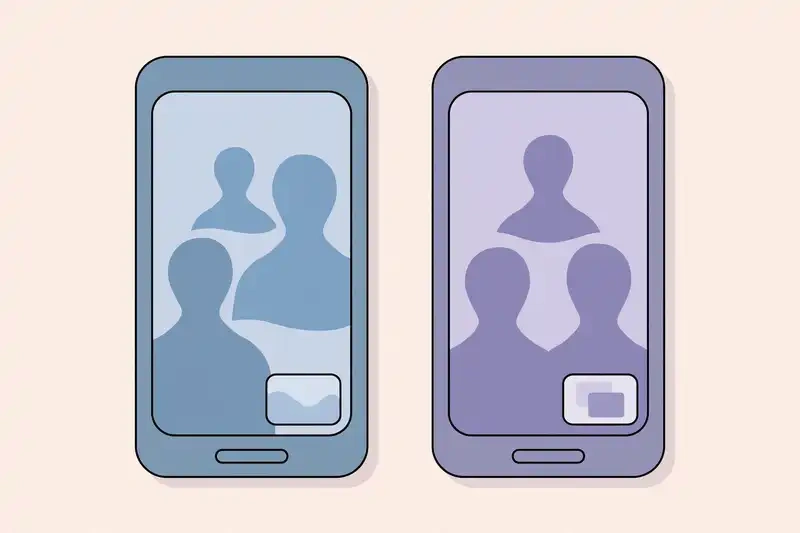
Video and voice calling have seen steady upgrades. Screen sharing during video calls lets you show what is on your screen, handy for walking someone through a settings page or showing photos without switching apps.
Group calls now support more participants, and the layout keeps improving so you can see who is talking. Voice calls use better audio compression, so conversations sound clearer even on weak connections, and joining a group call already in progress is straightforward.
Call links let you schedule a call in advance: generate a link, send it to participants, and everyone joins at the right time. For regular family calls or recurring work check-ins, this removes the back-and-forth of starting the call.
Multi-device and desktop catch up
Linked devices keep getting better. You can use WhatsApp on up to four companion devices without keeping your phone online, including the desktop apps and the web version. Companion phones can now run the same account too.
The desktop apps have matured as well. Video calls, screen sharing, and status viewing all work on desktop now, which makes WhatsApp practical as a work communication tool rather than just a phone app.

How to get the new features
Most new WhatsApp features arrive through regular app updates, rolled out gradually. A few practical steps make sure you are not missing anything:
- Update WhatsApp from the Google Play Store or Apple App Store. Turn on auto-updates so you stop thinking about it.
- Restart the app after a big update, since some features only appear on a fresh launch.
- Check settings for new entries. Features like chat lock, disappearing messages, and AI settings live under Settings, then Privacy or Chats.
- If a feature is missing, it may still be rolling out to your region. Waiting a week or two after hearing about something is normal.
The bottom line
WhatsApp in 2026 is less about one headline feature and more about the app getting quietly better across the board. AI assistants handle quick tasks inside chats, Channels and Communities give groups more structure, privacy controls keep getting finer, and calls and messaging keep absorbing small improvements that add up. Update the app, spend five minutes in Settings, and turn on the two or three features that fit how you actually use WhatsApp.