
Google AI Studio is a free browser workspace where you test prompts on Gemini models, compare answers side by side, and turn a working prompt into an app, with no code and nothing to install.
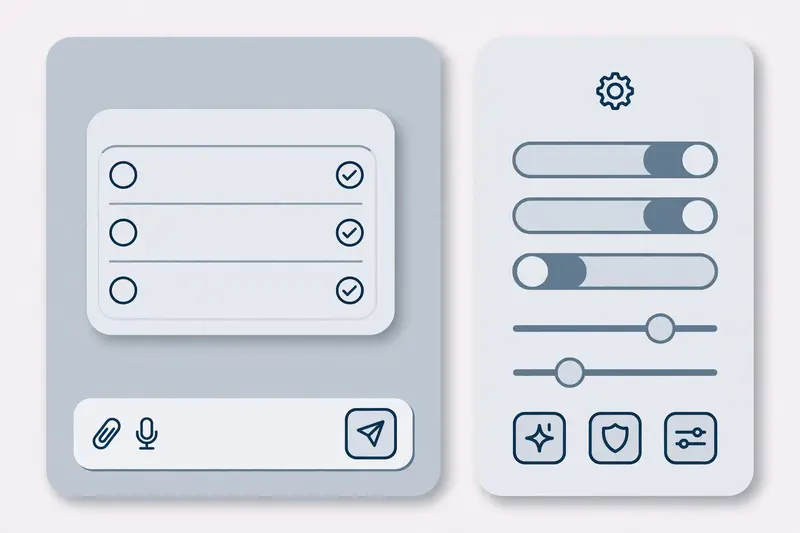
You sign in with a Google account at aistudio.google.com and start typing. The chat playground opens first. A model picker sits at the top, a system instructions box sets the tone, and a run settings panel controls the model behaviour. When a prompt works, the Get Code button turns it into Python, JavaScript, or cURL for the Gemini API.
AI Studio is the front door to the Gemini API. Developers use it to test an idea before they pay for API calls. Writers and marketers use it to test prompts, compare models, and build small tools.
What Google AI Studio is for
AI Studio has one job: let you try Gemini models before you build with them. You write a prompt, pick a model, and read the answer. You change one setting, run it again, and see what changes. That loop is the whole point. A prompt that works in AI Studio will work through the API, because it is the same model behind both.
The workspace covers text, images, video, speech, and music. Gemini models handle the chat and reasoning. Nano Banana models handle image generation and editing. Veo models handle video. Lyria handles music. Our Sora video generator guide covers the rival video tool, and the free AI image generators comparison covers the image side.
Build mode is the second half of the product. You describe an app in plain language, and AI Studio generates a working web app or Android app from that description. It is a prototype tool, but it turns an idea into something you can click through in minutes.
How to start with Google AI Studio
Open aistudio.google.com and sign in with a Google account. The playground opens with a chat box. Pick a model from the picker. Flash models are fast and free to test. Pro models are stronger and need a paid plan or a linked API key with billing.
Write a system instruction first when the tone matters. One line such as “Answer in plain English, under 100 words, for a beginner” shapes every reply in that chat. Then write your prompt, and upload a file, an image, or a PDF when the task needs context.
Which Gemini models are in AI Studio
The model list moves fast, and Google retires old models on a published schedule. As of late 2026 the lineup centres on Gemini 4 Argon as the flagship model, Gemini 3.8 Flash as the fast all rounder, and lighter Flash models for high volume work. Gemini 2.5 models are no longer offered to new users, and Gemini 3 Pro has been retired.
That churn is a reason to check the model picker itself rather than trusting a blog post from six months ago. The Gemini API models page shows which models are current, which are in preview, and which are retired.
Free use covers the Flash models within usage limits. Pro models, image generation, video, and music need a paid plan or a linked billing account. Our Google Gemini update guide tracks the model lineup and the plan changes in more detail.
Google AI Studio vs the Gemini app vs Vertex AI
These three Google products look alike and serve different people. The Gemini app is a chatbot for everyday work: drafting, planning, and questions. AI Studio is a workbench for testing prompts and building with the API. Vertex AI, now part of the Gemini Enterprise Agent Platform, is the enterprise platform for teams that need security, compliance, and scale.
Pick by the job. A question goes to the Gemini app. A prompt test or a prototype goes to AI Studio. A production system with customer data, audits, and uptime promises goes to the enterprise platform. The Gemini vs ChatGPT comparison covers the chatbot side, and Google Cloud explains Vertex AI as the enterprise route with service accounts, compliance, and dedicated capacity.
Build mode: turning a prompt into an app
Build mode is where AI Studio stops being a chat box. You describe the app you want, such as a quiz tool or a simple dashboard, and the agent builds it. It generates the front end and the server code, and you can deploy the first versions at no cost.
The results are prototypes. A generated app may look finished and still miss an edge case or a security check. Treat it as a fast first draft, then test it like any other software.
Limits, privacy, and costs to know before you rely on it
Usage limits are measured per project in requests per minute, tokens per minute, and requests per day. Google says free tier content may be used to improve its products, so keep client data and unpublished material out of free tier chats. Read the terms for the tier you are on before you paste sensitive text.
Costs stay at zero while you test Flash models in the browser. They start when you link a billing account and call paid models through the API. Google AI Studio itself is the place to check your current limits, and the Gemini API pricing page lists the per token rates for paid models.
Frequently asked questions about Google AI Studio
Is Google AI Studio free?
Yes, to open and use with Flash models, within usage limits. Pro models, image and video generation, and higher limits need a paid plan or a linked billing account. Google AI Pro and Ultra subscribers get higher limits.
Is Google AI Studio the same as Gemini?
No, Gemini is the model family and the chatbot app. Google AI Studio is the developer workspace where you test prompts on Gemini models, compare them, and build apps with the Gemini API.
Do I need to know how to code to use Google AI Studio?
No, the chat playground needs no code at all. Code only matters when you export a prompt through Get Code, or when you take a Build mode prototype into production.
Can I use Google AI Studio for commercial work?
Yes, within the terms of the tier you use. Free tier content may be used by Google to improve its products, so keep client confidential material out of free tier chats and check the current terms before commercial use.
What is Build mode in Google AI Studio?
Build mode turns a plain language description into a working web or Android app prototype. You describe the app, the agent builds it, and you can deploy the first versions and export the work.
How is Google AI Studio different from Vertex AI?
AI Studio is a free browser workbench for testing prompts and prototyping. Vertex AI, now part of the Gemini Enterprise Agent Platform, is the enterprise platform for production systems, with service accounts, compliance controls, and support. Our Google AI Mode guide covers another Google AI surface, and the best AI tools comparison places AI Studio beside the other major workspaces.