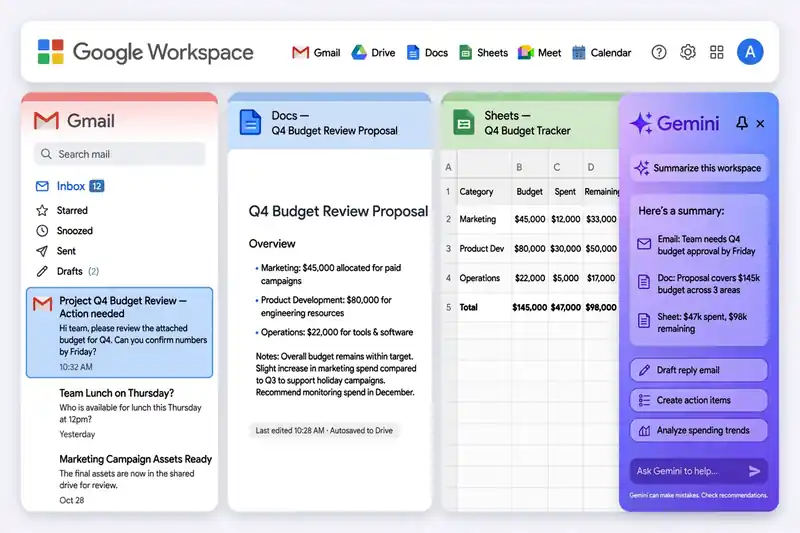
Google Workspace with Gemini AI puts an assistant inside Gmail, Docs, Sheets, Slides, Drive, Chat and Meet, and Gemini has been included in Business and Enterprise plans since January 2025 instead of a separate add-on.
Gemini in Workspace is not the same as the Gemini app on the web. The app is a general chatbot. The Workspace version works inside the document or email you have open, reads that file, and pulls in other files you already have access to. That context is the whole point: you ask it to summarize this thread, draft a reply to this client, or build a sheet from this data, and it works from your actual work.
What Gemini does in each Workspace app
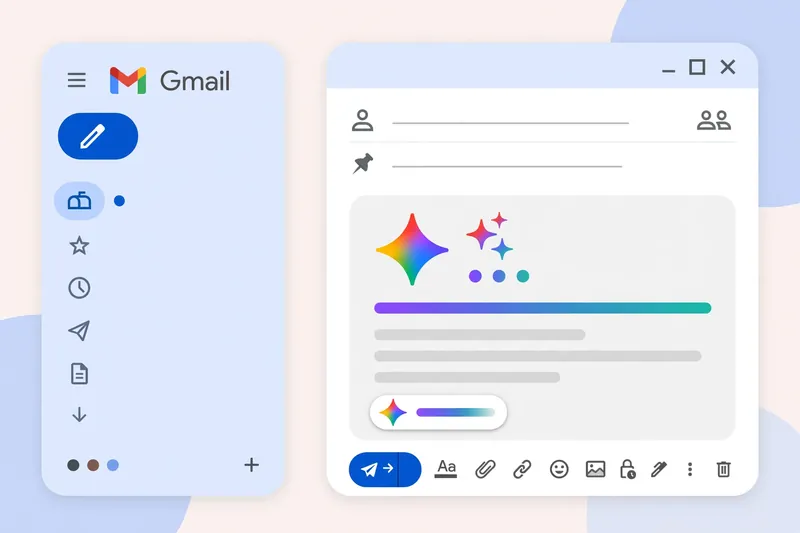
In Gmail, Gemini drafts emails from a short brief through Help me write, summarizes long threads, suggests replies and proofreads before you send. A newer AI Inbox view pulls suggested to-dos and short summaries of topics to catch up on into one place. In Docs, it writes a formatted first draft from a brief, rewrites a section for a different reader, and summarizes a long document. The side panel lets you reference other Drive files with an @ mention, so you can ask for a proposal that uses your scope notes and your standard terms.
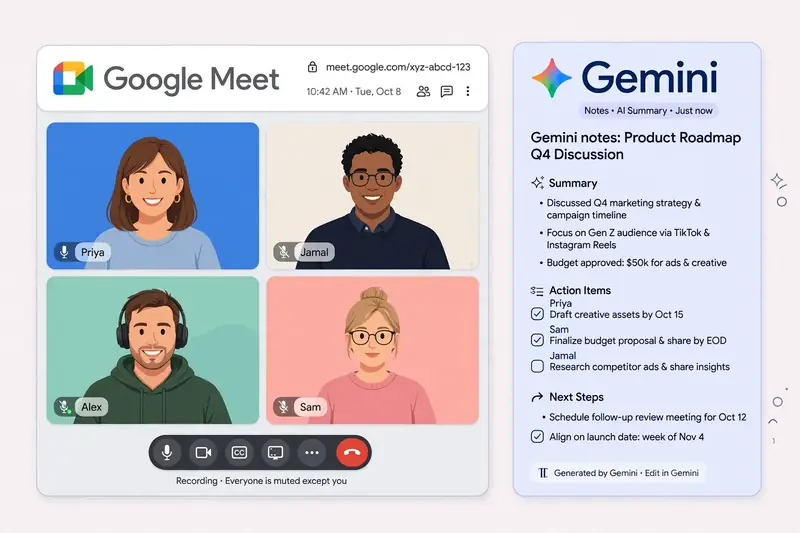
In Sheets, Gemini generates formulas from plain language and explains data with natural language questions. In Slides, it generates images and builds slides from a prompt on eligible plans. In Meet, it takes notes and summarizes the discussion. In Drive, it summarizes files and answers questions about them. The Gemini app is the standalone version of the same assistant. Google Cloud blog on Gemini at Work describes the newest agent features, including proactive delegation, where Gemini spots a task in your inbox and offers to handle it.
Which Workspace plan you need
Gemini access depends on your edition. Business Starter gets Gemini in Gmail and the Gemini app. Business Standard and Plus add Gemini in Docs, Sheets, Slides, Drive, Chat and Meet note-taking. Enterprise plans add the full set with admin controls. Google changes these tables often, so confirm on the official pricing page before you buy.
Admins control the rollout from the Admin console, enabling Gemini per team or across the organization. Features roll out gradually, and some, such as AI Inbox, arrived first for Rapid Release domains in October. Our Google Gemini update guide tracks which features moved between plans, and the best AI tools comparison ranks Workspace against Microsoft 365 Copilot.
Privacy and data rules at work
Google says business content in Workspace is not used to train its models, and Gemini only retrieves files the user already has access to. That is the key difference from a personal account: your documents stay inside your organization, and the assistant cannot show a colleague a file they could not open themselves.
Admins can set data regions, retention rules and access controls, and they can turn Gemini features off per team. Even so, staff should not paste customer passwords or highly sensitive personal data into any AI tool. The rules protect your files from training, not from a colleague who opens the same document. Google support pages document the admin controls in detail.
Getting real value from Gemini at work
The biggest time savings come from the boring jobs. Summarize a 40-message thread before a meeting. Turn meeting notes into a task list with owners. Draft the first version of a proposal, then edit it yourself. Build a tracker sheet from a list in an email. None of these jobs is glamorous, and together they save hours a week.
Set team habits early. Agree that AI drafts are drafts, and that a human checks facts and tone before anything leaves the company. Keep prompts short and specific, and reference the source files with @ mentions instead of pasting long text. Microsoft 365 Copilot is the main rival to compare before you commit. The Gemini at Work announcement also introduced coworker agents: describe a role, and Gemini creates an agent with its own Workspace account, email address, calendar and Drive, that works with the whole team. Our Gemini vs ChatGPT comparison covers the rival assistant, the best AI writing tools guide helps with the drafting habit, and the AI Mode explainer covers Gemini in Search.
Frequently asked questions about Workspace with Gemini AI
Is Gemini included in Google Workspace?
Since January 2025, Gemini is included in Business and Enterprise plans instead of a separate add-on. The exact features depend on your edition.
Does Gemini in Workspace train on my data?
Google states that business content in Workspace is not used to train its models, and Gemini only retrieves files the user already has access to.
Can I use Gemini in Gmail for free?
Gemini in Gmail is part of Workspace Business plans. Personal Google accounts get basic Gemini features in the Gemini app, with advanced features on Google AI plans.
What is the difference between Gemini app and Gemini in Workspace?
The Gemini app is a standalone chatbot. Gemini in Workspace works inside Gmail, Docs, Sheets and other apps, with access to the file or email you have open.
Can admins turn off Gemini in Workspace?
Admins can enable or disable Gemini features per team or across the organization from the Google Workspace Admin console.
Does Gemini work in Google Meet?
Yes, on eligible plans Gemini takes meeting notes, summarizes the discussion and creates follow-up tasks in Google Meet.