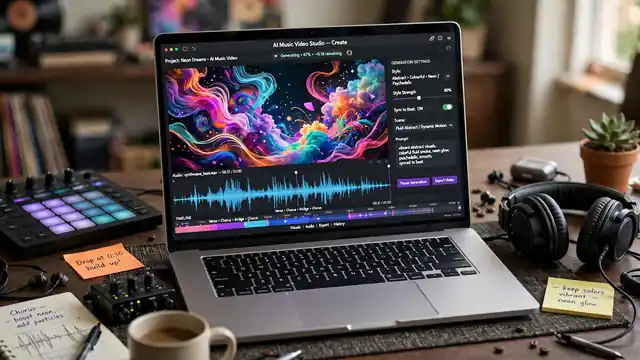
An AI music video generator turns a finished song into moving pictures, either by generating short clips from a text prompt or by building visuals that follow the track itself. The first kind makes clips. The second kind listens to your song. Picking the wrong kind is the most common mistake, and it costs credits.
Two kinds of music video tools
Clip generators make short clips from a text prompt or a still image: you write “a singer on a rooftop at dusk” and the tool returns five to ten seconds of footage. Song-first tools start from your audio file and cut visuals to match the beat. A clip generator gives you control over each shot. A song-first tool gives you a finished video faster. Most artists need both.
The clip generators worth knowing
Runway leads for control. Its Gen-4.5 model makes five to ten second clips from text or an image, with camera moves and reference images for consistent characters. Standard costs $15 a month, or $12 billed yearly, for 625 credits, and Gen-4.5 uses 12 credits a second, so a five-second clip costs 60 credits. The free tier gives 125 one-time credits. A Runway versus Pika pricing comparison shows the cost per second.
Google Veo 3.1 is the quality pick. It makes eight-second clips at 720p, 1080p or 4K, with dialogue and sound effects generated in the same pass as the picture. The picture quality leads the field, though the native audio matters less for music videos, since your song replaces the sound anyway. Veo costs $0.40 a second with audio through the Gemini API, and it also runs inside Gemini and Google Flow. There is no free tier. Google’s Veo page describes the model.
Pika suits fast experiments. Its Starter plan costs $10 a month, or $8 billed yearly, for 900 credits, and it hosts several models beside its own, including Seedance and Wan. A five-second clip costs far fewer credits on the cheaper models, so Pika stretches a small budget further than Runway. Kling and Luma sit in the same group: Kling for realistic motion, Luma for colour and camera work. A Sora versus Runway versus Pika comparison puts the three side by side on price.
One name is missing on purpose. OpenAI closed consumer access to Sora in April and shut the Videos API in September. Old guides still list Sora as an option. It is not one any more.
Song-first tools: upload the track, get a video
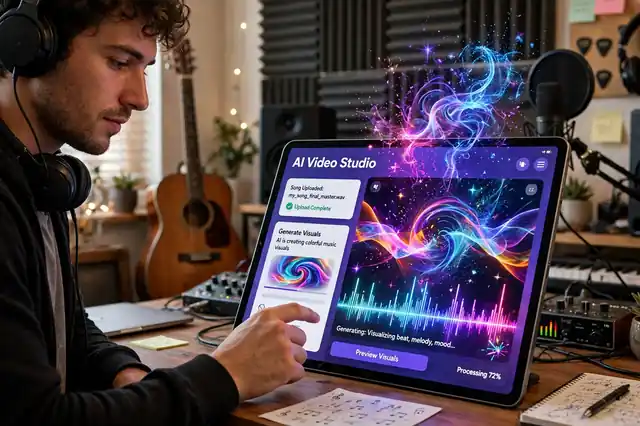
Song-first tools work the other way round. You upload an MP3 or WAV file, pick a style, and the tool builds a video that follows the beat. Revid AI is the best-known example: it cuts visuals to the rhythm, which suits lyric videos and social clips. The result looks less cinematic than a Runway clip, but it arrives in minutes and stays in sync.
What a music video actually costs
Count in seconds, not in videos. A three-minute song needs 180 seconds of footage, and on Runway Standard 625 credits buy about 52 seconds of Gen-4.5. Most clips need two or three tries, so budget three times the footage you need.
The cheapest path mixes the two kinds. Generate six to eight hero clips for the chorus and the opening, then fill the verses with a song-first tool or with still images that slowly zoom. A still image with a slow zoom costs nothing and looks fine for eight seconds.
How to make one that looks good
Start with the song, not the tool. Pick the section that carries the video, usually the chorus, and generate that first, while your credits are full. If the chorus shots fail, the video fails.
Write prompts like a director, not like a fan. Describe the shot and the light, then name the movement and the mood: “a slow push-in on a singer at a piano, warm lamp light, rain on the window behind her.” One concrete detail per shot beats a paragraph of adjectives.
Keep the style consistent across clips: the same reference image for the singer, the same colour words in every prompt, and the same aspect ratio. Viewers forgive a rough clip. They notice when the singer changes face between shots.
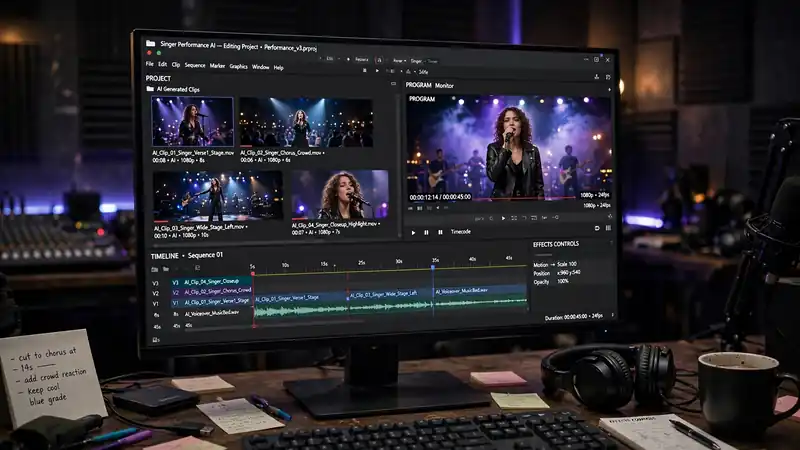
Edit outside the generator. Stitch clips in a free editor, cut on the beat, and add the real audio track over the top. The generator makes shots. The editor makes a video. Our Sora AI video generator guide covers the clip workflow, and the AI music news page tracks which music tools changed their terms.
Limits to know before you start
Clips run five to ten seconds. Nothing on this list makes a three-minute shot. Long videos are stitched from short ones, so plan the video as a sequence of short shots from the start.
Faces and hands still break: a singer in close-up may gain an extra finger or a wandering eye. Wide shots and silhouettes hide the flaws, so keep faces small in the frame.
Audio sync is a separate problem. Most clip generators make silent video, and the music comes from your audio track in the edit. Veo 3.1 is the exception: it generates sound with the picture. Google’s Flow and Veo announcement explains how the sound arrives with the picture.
The tools change fast. Prices, credit rates and model names move every few months, and a tool that leads today can close tomorrow, as Sora did. Check the vendor page before you commit to a plan. The best AI tools compared roundup lists the video tools beside the rest, and the free AI image generators compared guide covers still images for the verses. For lyrics, the lyrics generator guide covers the writing side.
Frequently asked questions about AI music video generators
Can I make a full music video with AI for free?
A short one, yes. Runway gives 125 one-time credits, and song-first tools offer free trials. A full three-minute video needs a paid plan. Start with the chorus before you pay.
How long can an AI video clip be?
Most make five to ten second clips. Veo 3.1 makes eight-second clips. A full song video is stitched from many short clips in an editor.
Which tool is best for a lyric video?
A song-first tool such as Revid AI fits lyric videos best, because it cuts visuals to the beat of your track.
Do I own the video the AI makes?
It depends on the plan. Paid plans usually grant commercial use, while free tiers may watermark the output. Read the terms before you release the video.
Can an AI video generator use my own song?
Song-first tools accept MP3 and WAV uploads and build visuals around your track. Clip generators work from text or images, so you add your song in the edit.
Why do AI music videos look inconsistent?
Each clip is generated separately, so faces and colours drift between shots. Use the same reference image and the same style words in every prompt.